PathCloud Viewer Overview
If you do not have an image open in PathCloud Viewer, please see View Images for steps on viewing a WSI.
The PathCloud Viewer serves as a powerful platform for viewing WSIs as well as creating/managing annotations. The PathCloud viewer expands upon Clinical Viewer and offers more options and additional features to make image viewing and annotating easy, effective, and intuitive. The viewer window can be separated into three main components: Studies Pane, WSI Viewer, and the Measurements Pane.
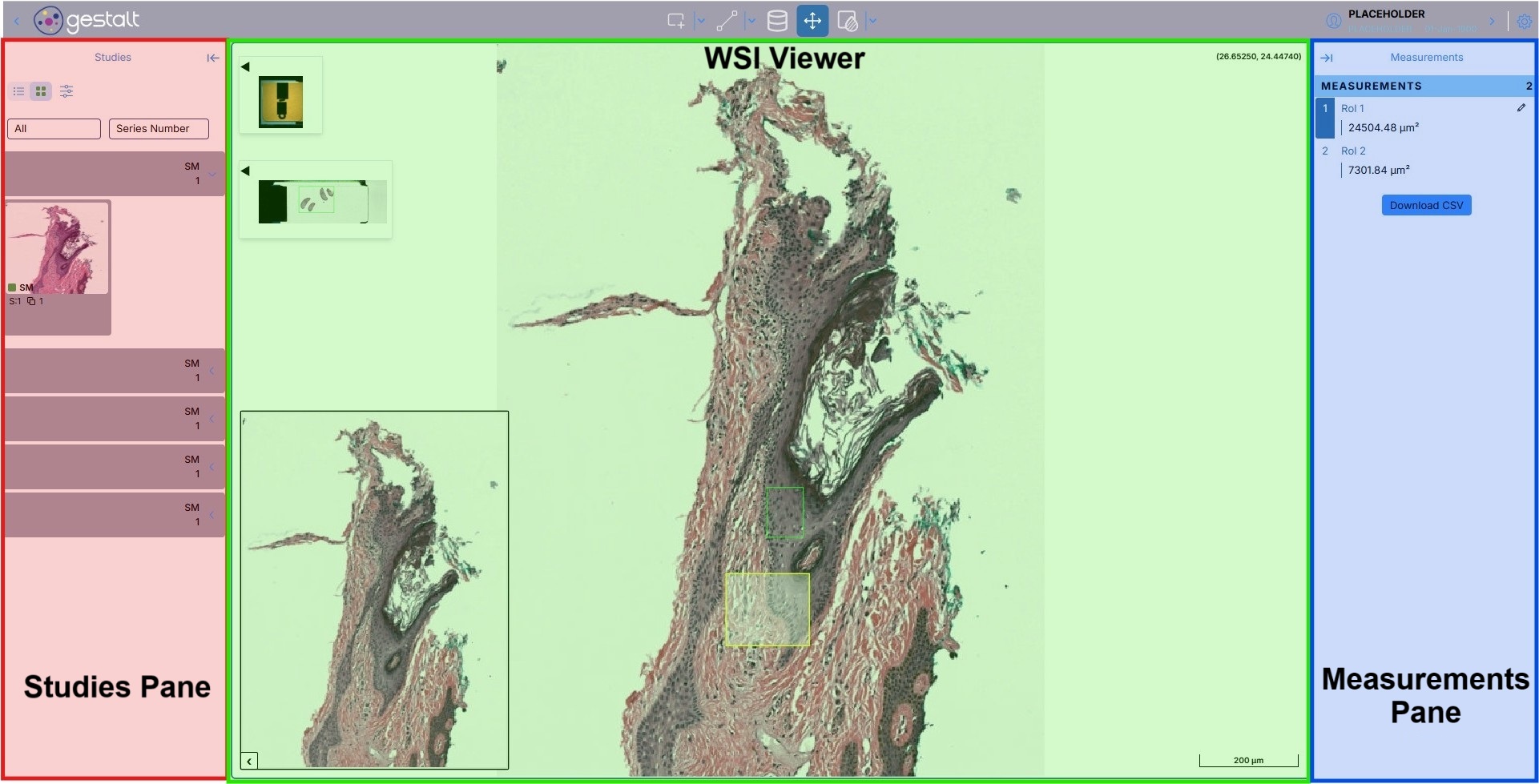
Studies Pane
The Studies Pane allows the ability to select different images that belong to the study, as well as view and delete user-created imaging study annotations and instances. The pane allows for thumbnail or list presentation, filtering the tabs using different study filters, as well as sorting the list of studies by series number or series date.
WSI Viewer
Housing the core functionality of the PathCloud Viewer, the WSI Viewer allows for easy viewing, creation, and editing of images and annotations. The left side of the pane includes collapsible image labels and previews, Annotation tools along the top toolbar, and a dynamic slide scale display on the bottom right. For additional guidance and instructions on using this pane, please see PathCloud Viewer Image Navigation and Annotation Tools.
Measurements Pane
Located on the right side of the viewer, the Measurements Pane provides quick examination and modification of annotations within the whole slide image. From this pane, information such as the different annotation labels and sizes can be viewed, with the option to select and highlight an ROI in the image by clicking its measurement pane entry. Additionally, the option to download all the annotations as a CSV file can be accomplished by clicking the "Download CSV" button.