Column Options
important
If you are unfamiliar with the basic features of PathCloud Image Worklists, please see Use Image Worklists before reading this page.
Column Options
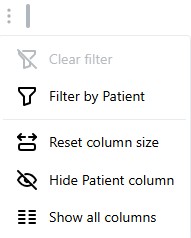
Column options can allow a user to sort, filter, or hide applicable columns. They also support additional features such as resetting a column's size or show previously hidden columns.
Steps:- Click the three vertical dots next to the supported column you'd like to modify.
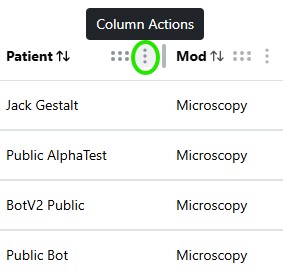
- Select the option of your choosing from the pop-up option panel.